
A walkthrough tutorial on how to verify your OnlyFans account by adding your bank account and ID
Step One
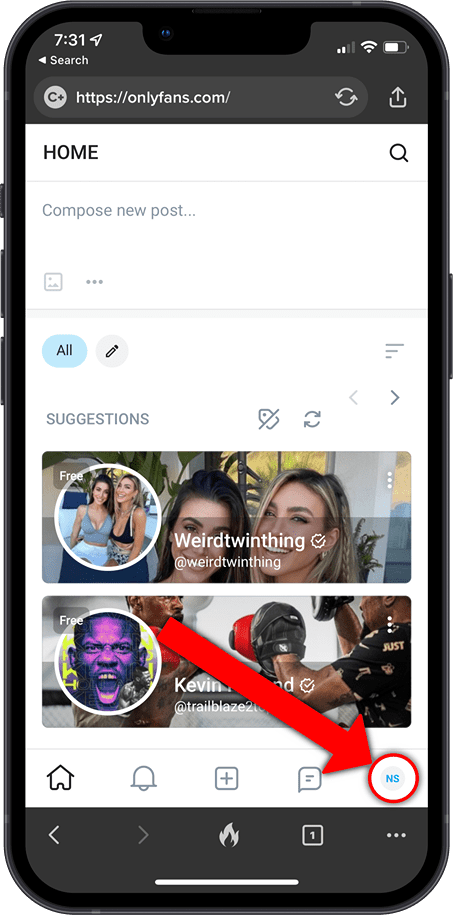
First, log in to your account and click the round icon at the bottom right of the screen (on mobile or top left if viewing the full-screen version of the site)
Step Two
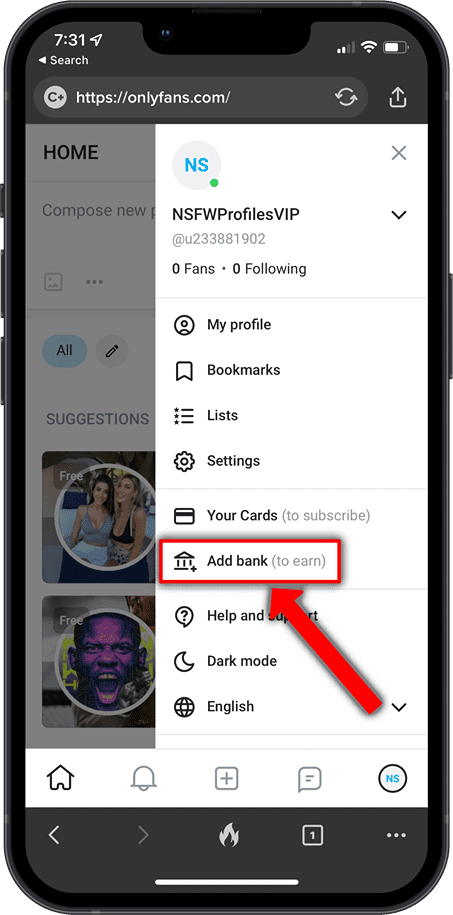
In the side menu that opens, select Add Bank (to earn)
Step Three
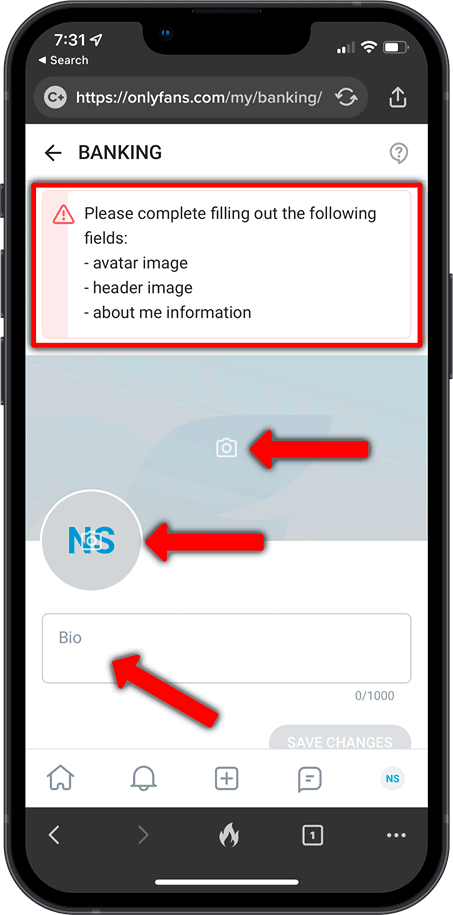
Now you need to fill out your basic profile information.
You need to add a profile photo and header image. These should not contain any nudity but should show your face so the person verifying your profile can see it's really you and matches your ID photo (which you will upload shortly.)
You also need to add a short bio telling potential subscribers a little about yourself.
Step Four
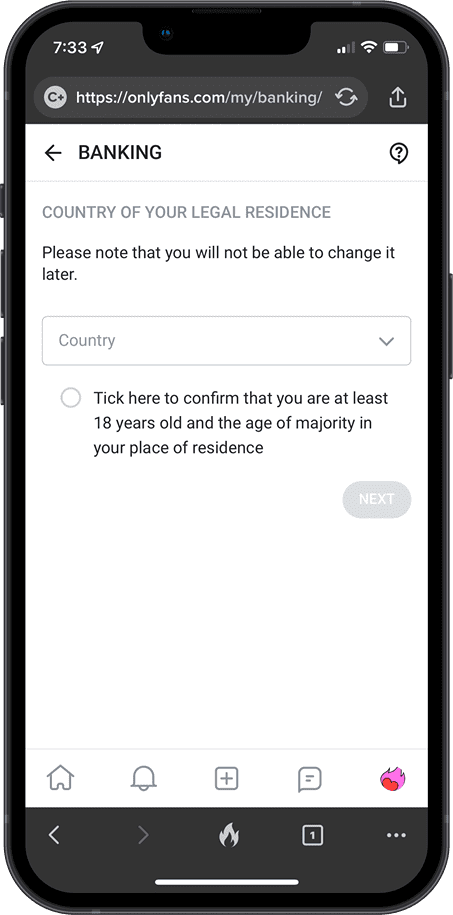
Now select your country and confirm you are old enough to post adult content.
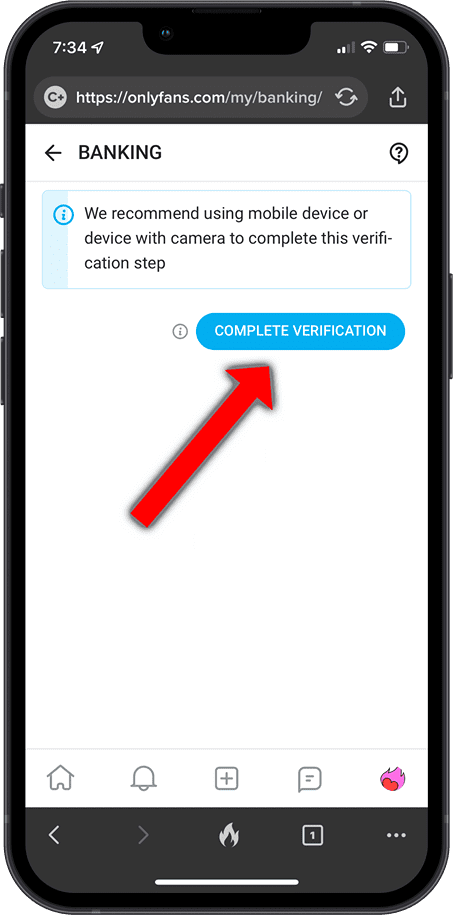
Step Five
Next, you need to click through to complete the verification.
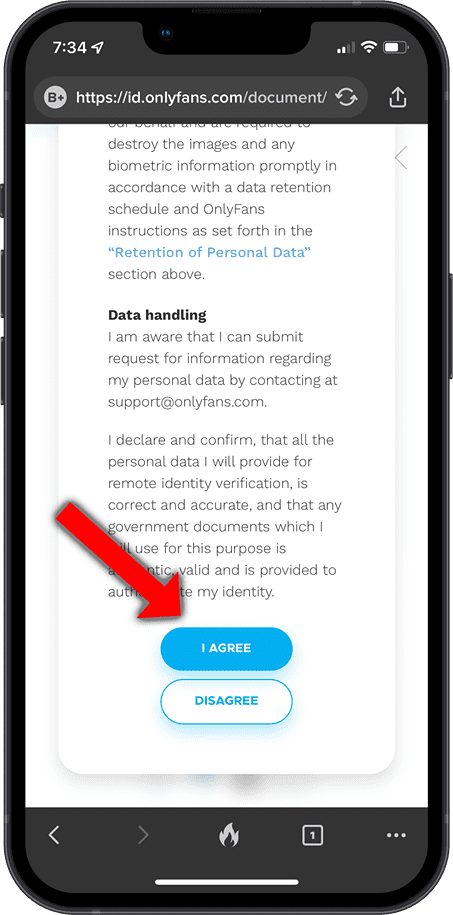
Step Six
Read and accept the data processing terms and agree to be redirected to the verification service.
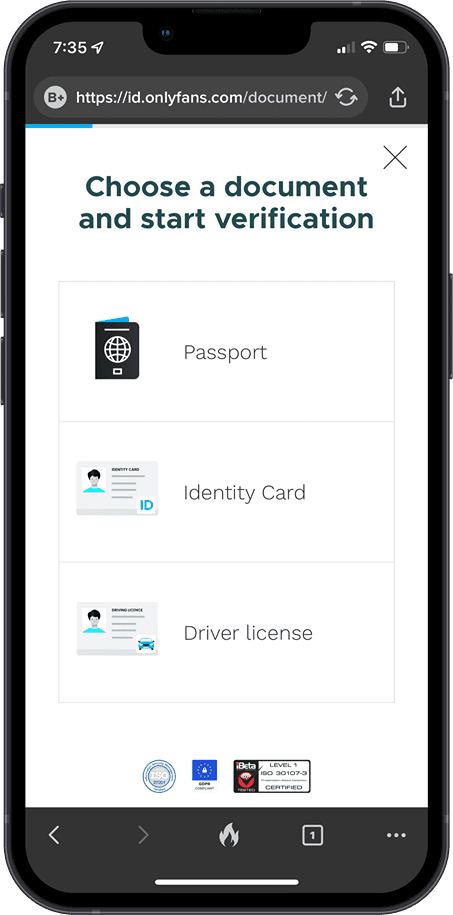
Step Seven
You will now be asked to upload a copy of your photo ID. Choose whichever ID you have available. (Passports seem to work best according to anecdotal evidence)
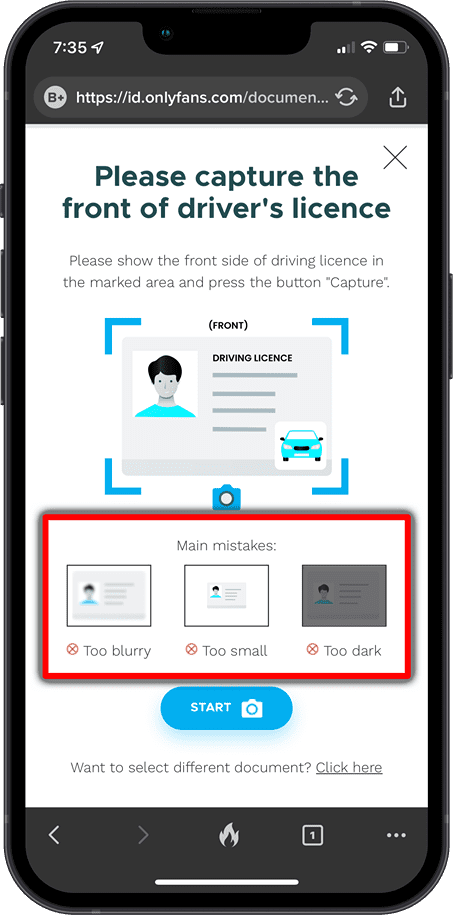
Step Eight
This is the step that a lot of people have trouble with. You need to make sure you are uploading a good quality and well-positioned photo of your ID.
Make sure the ID is as large as possible in the image without cutting the edges out.
The image cannot be blurred, the ID must be readable, with enough light to make it visible while avoiding glare or bright shine from lights making any sections of the ID unreadable.
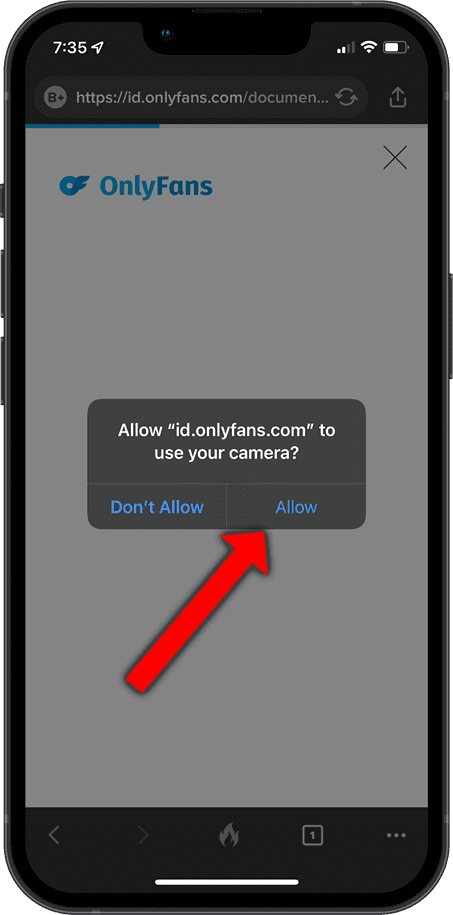
Step Eight - Continued
You will need to allow access to your camera
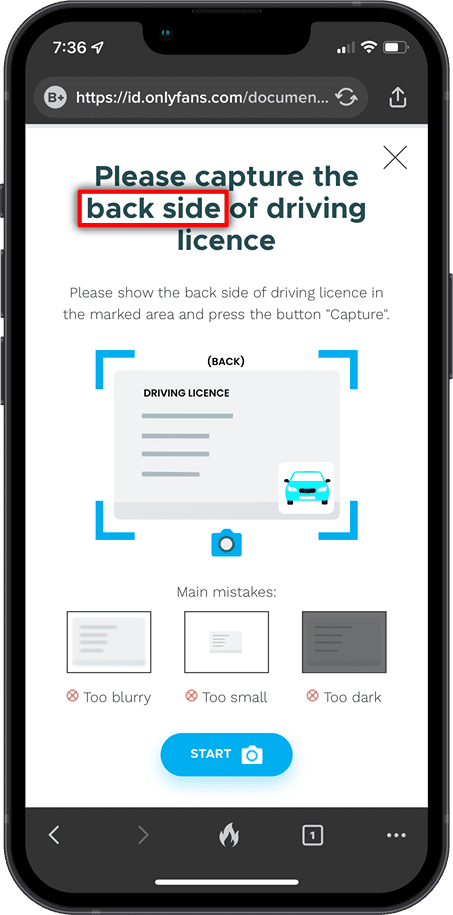
Step Nine
Depending on the form of ID you choose, you may be asked to upload the back side also.
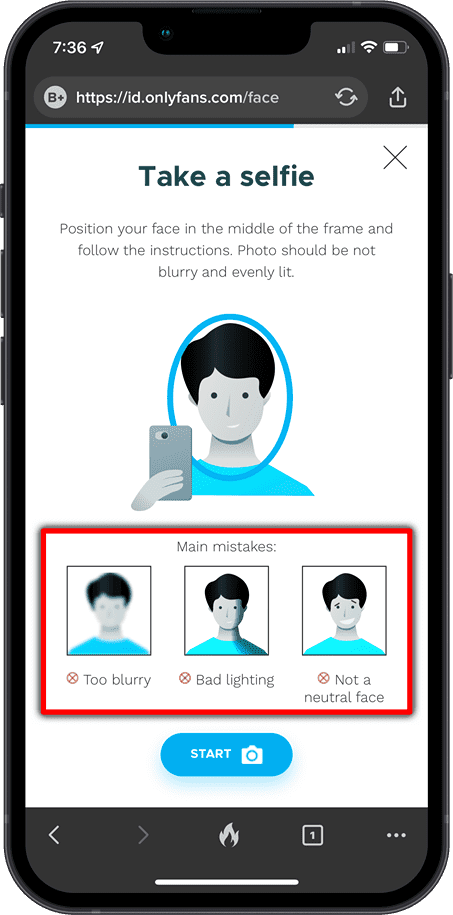
Step Ten
Selfie time!
You will need to take a selfie to show you are the same person as on your ID.
This can be a bit of a challenge to get right as you need to position your face exactly right inside an oval. You may be asked to try again, just keep going until you have it right.
Step Eleven
Now allow the process to complete.
OnlyFans will encrypt your data, and upload and verify it. Do not close the browser tab or app while this happens.
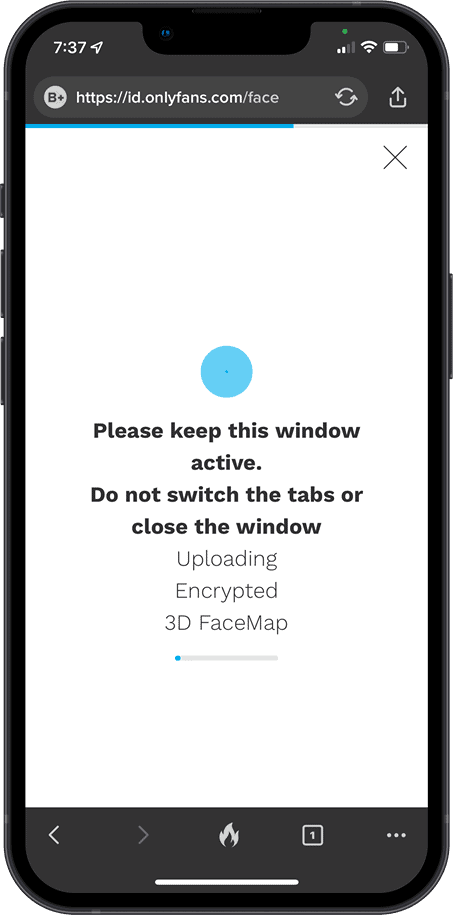
Step Twelve
Now allow the process to complete.
OnlyFans will encrypt your data, and upload and verify it. Do not close the browser tab or app while this happens.
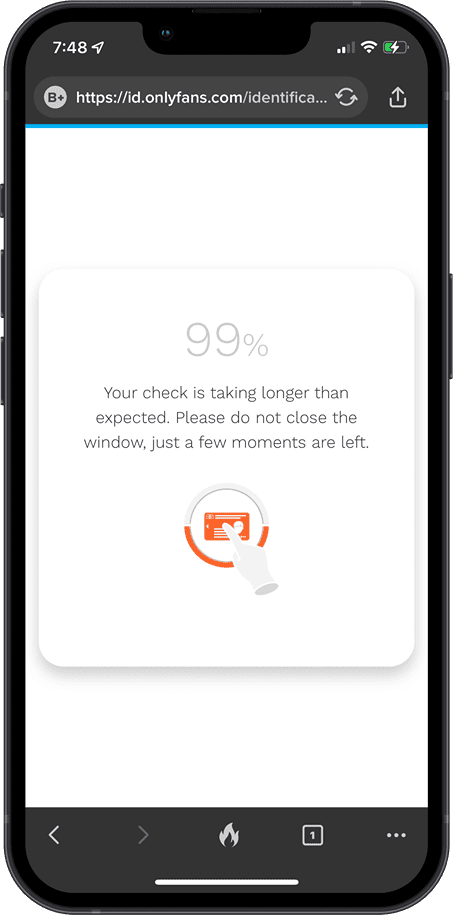
Step Twelve - Continued
The process can take several minutes...
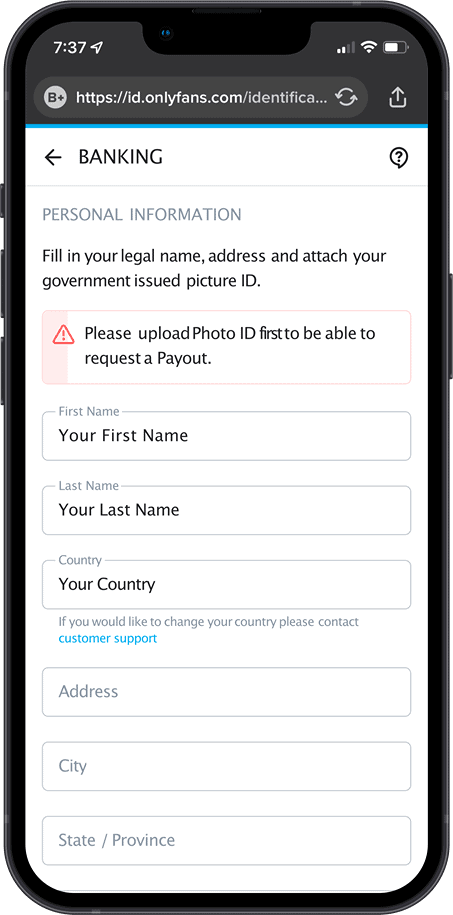
Step Thirteen
Finally, you will be asked to confirm your details and add some more. Fill out every box here.
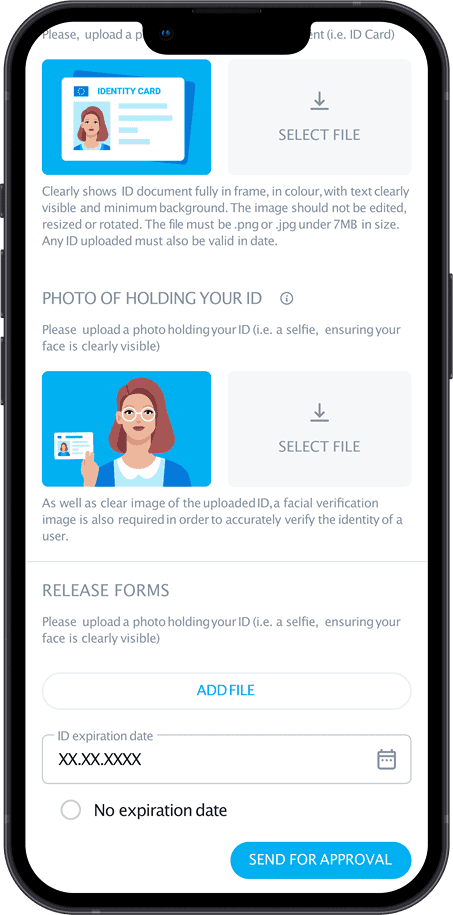
Step Fourteen
Last of all, you will have to upload a photo of your ID and a photo of you holding your ID next to your face.
(yes... again - we know it doesn't make lots of sense to have to do this twice)
Once all the fields on the form have been filled in, you can click "SEND FOR APPROVAL"
Sometimes applications can be rejected by mistake (occasionally more than once). If this happens, just make sure any issues highlighted are fixed and try again until you get approved.
Next Steps to earn more money from your content!
We work with the very best platforms where you can sell your content. To find other platforms where you could make even more money...
We also offer free promotion of your selling platforms

